
2026
Transfer From ChatGPT to Claude
Starting with AI - Interlude
I started writing a five part article about working with Claude. I have talked about an overview, general chat, Claude chat projects, and Cowork. The next session should be Claude Code, but before I dive into that, I think it’s time to pause and dig into how to move your work from ChatGPT over to Claude.
I am sure there are a TON of ways to do this, however, these are the two techniques I use.
- Transcript port
- Artifact Handoff
Migrating from ChatGPT to Claude
When I first switched over to Claude I wanted to make sure I captured every single word and gave them to claude. So I used a web tool called MarkDownload. This tool takes a web page and turns it into a markdown text file and lets you download it to your computer.
I would then drag/open the file in Claude and have it read the conversation.
Now there is a downside to this method. And the downside is that this can chew up a lot of context. But what is context you ask?
What is Context?
The simple answer is working memory. When ChatGPT and other tools came out, they had very small contexts. They could handle a few hundred words and conversations that were not that long. Now the standard is almost a million tokens.
That’s cool you say, but what’s a token?
But What’s a Token?
A token is a word fragment. The historical genesis of most modern LLM’s (in part) is from believe it or not autocomplete. If I start typing a word, you want the machine to successfully predict what I will say next and suggest the word I mean, not the one I am mangling on my touch screen with my pickle fingers. AI engineers realized that these predictive systems could guess what part of a word could come next from a fragment of a word. They call these fragments tokens.
And, if they had more context in which that token was being used, they had a better chance of guessing what token would come next.
Consequently, context size as measured in tokens became the standard for how LLM’s can think. It turns out, it is important to keep an eye on context when you are working with LLM’s.
Why Should You Care?
The main reason you want to care about context and tokens is quality. It has been demonstrated that when an LLM context gets too full, the model begins to drift. It confabulates more, and forgets rules given to it earlier in the conversation. In other words, the LLM becomes forgetful.
There is a tool on github that gets under the hood of these tools and watches how well the LLM performs depending upon how full the context buffer is. As a result, they suggest, as of the time I am writing this article, that chat bot can be at its best when its context is below 30% full. About 50% you might want to start thinking about starting a new chat, or purging the context.
Why am I telling you that?
Because if you move over an entire conversation from ChatGPT to Claude… you will burn an enormous amount of context with unnecessary tokens.
Let’s face it. Most chats are heavy with unbalanced text exchanges. you talk a little, AI talks a lot. I noticed a pattern where the AI wrote 11 words for every one of mine. Not all of those walls of text have value. I would argue most don’t. This is why my dominant form of transferring knowledge between LLM’s is now what I call the markdown artifact handoff document.
Artifacts
I used three very specific words: Markdown. Artifact. and handoff. Why?
- Markdown - a readable text document that saves formatting intent. This is an extremely token efficient way to transmit meaning.
- Artifact - the idea of an artifact is that it is something decided. It represents your understanding at that moment in time.
- Handoff - the purpose of the document is to help another AI agent get up to speed fast.
Why use Artifacts? There are approximately 1.3 tokens per word.
Here is the real word count from a conversation I had with Claude this morning:
Words: 19,150 Characters: 118,050 Tokens (est): ~25,000
That is a CHUNK of text. Converted into an Artifact? Markdown Artifact for Handoff: 2,138 words or about 2,800 tokens. 1/9th the token space.
Something else you need to know about Artifacts
Using Artifacts is extremely powerful for “seeding” new conversations. A powerful design pattern I use, is to work with AI until we reach something like a “check point,” and then I stop and ask it to generate a markdown artifact for handoff. Which it does. I can do this multiple times throughout a conversation, but the point is to consolidate our understanding and make it transferable.
If you ask claude, How's your context He will answer. (or she if you think of Claude as Claudia, or it if you like a more Asimovian view of thinking machines). But the point is, paying attention to context can help keep hallucinations, conflations, and confabulations to a minimum. (who knew we would be using those words so much?)
Summary
Once you use chat, projects, and cowork in Claude you may want to start moving over some of your chats from ChatGPT. The best ways I have found to do that?
a. use a web clipper to grab an entire conversational thread. b. ask ChatGPT to generate a markdown artifact for handoff.
And if you don’t know markdown yet, I encourage you to start getting familiar with the concept, because you will want to know it when you start using claude code.
Example Prompt
Hey claude, what is a markdown artifact for handoff to another AI? What is an artifact? What is a living artifact? And why do you do everything in markdown?
Until next time,
Scott
Starting with Claude AI - Cowork
 This article is the third of five planned in this series.
Working with Claude - CoWork
This brings me to my third article in this series about Claude. Now, there is no way in a simple blog post to explain something as broad as generative AI. Having said, that you have to start somewhere, so this is more about helping you find a footing with these tools and these modes.
Progression
We started with general chat, which most people use for finding answers. Then we started to talk about projects. Projects are powerful because you can add resources (documents) the AI can use for reference and you can prime the AI with a standing prompt that it will use for each subsequent chat in the same project. So the combination of chat histories, resources, and the prompt create a very cool container for work.
However, there is one limitation to Projects - the work is largely abstract. Yes, the AI can generate some documents (artifacts), that you can save, or publish. However… what if… the AI could work with and create documents directly on your computer?
Welcome to CoWork.
CoWork
Cowork is yet again different from General Chat, and Projects in several important ways.
- It is task oriented.
- Each conversation acts like its own container
- It can work with files on your computer
Rather than try to explain this, let me give you some examples:
Examples
Here are the first three prompts I sent to my general Chat:
who is charles bolg? he talks about community?
is there a setting on the ipad to control the font? when text appears italics it is incredibly tiny and offset, almost like it's a subscript or footnote, not italic text.
I am trying to use blink shell and claude on my ipad with windows but I can't seem to figure out the window controls.
Every single one of those “general” chats started with a question. I needed/wanted an answer. The conversations for the most part were short (The author’s name is Charles Vogl by the way, love how Claude figured out who I was talking about.)
My most recent Project Chats are different. They started like this:
Side note - I started reading "Paul and the Person" by Susan Eastman, and she makes a comment about it being a "Narrow Text" - reminds me of our conversations... oh it's just a chat... and 20,000 words later...
what are the steps for setting up ssh to a remove server for automatic login? I forgot to set up my laptop with those keys and now I find myself needing to reach my mac mini - which... I may not be able to because I'm probably not running tailwind. That sucks. But I certainly can reach a digital ocean droplet from anywhere in the world. What are the steps?
I need to write a document I can share with a friend about all the ways organizations hire speakers and facilitators. Can I give you a list of what I know and then you frame it out into an markdown document (I can turn into google doc with paste markdown) to share with her?
These prompts are categorically different from the general chat prompts because they are designed to start conversations. More than answer a question… in the first one
- I want to talk about a theologically dense text I am reading. Conversation helps consolidate learning. I am not “asking a question” expecting an answer. I am turning to Claude to have an interesting conversation about something that is meaningful and important to me. WARNING: These kinds of conversations are like Catnip for the curious mind.
- The second request, I have set Claude up in this project to be an IT expert. I am asking him to guide me through a series of steps that I will need to execute to perform some work. He is coaching me in real time to extend my capability and capacity. NOTE: This is not work the agent can do directly in this application, nor would I want him to do because it involves setting up system access.
- I want the agent’s help creating a useful document, which involves me rambling/brain-dumping everything I know about a topic into otter.ai, then together Claude and I shape it into a useful document I can share with someone else. NOTE: I work with markdown to move ideas and structured content from Claude to another system like google docs.
The one thing these two examples have in common? For the most part, the work happens inside the Claude application. I copy and paste text into a terminal window, or another document.
Cowork is different.
I have absolutely not explored all the power in Cowork. Full stop. The feature I use the most is New Task, but Cowork also contains Projects, and Scheduled, and Live Artifacts and Dispatch and Customize.
What I use the most often is New Task and that’s what I’m going to talk about, but there is a super power lurking in Customize… which I will write about in an upcoming article.
So what is an example of a Cowork prompt?
Now we are about to start cooking with gas…
There is a file in this folder (the Area - Rymare folder), called dex_contacts.csv. I would like your help creating a python script. What I want the script create markdown files for every contact using the PeopleCard template write it into my Obsidian Vault.
In addition to this prompt, I added the folder where my Obsidian Vault resides and the downloads folder where the dex_context.csv is. This again, is categorically different from asking Claude to answer a question, or start a conversation to help improve my understanding, or walk me through a series of steps I need to take to complete some work.
In Cowork, Claude is going to tackle a tedious job and my systems will be different and materially improved after this “task” is finished.
When you enter cowork, Claude literally becomes your coworker.
And here are some of the tasks I have asked him to do for me.
- Fix a theme in my Obsidian Vault so my task lists render correctly.
- Create product offering flyers I can hand out a conference
- Debug an n8n workflow that is acting up.
I could go on and on, but I largely use Cowork to… well perform actual work. Something I would have needed a programmer, or an assistant to do. Is this starting to give you ideas beyond simply asking questions in General Chat?
Summary
Cowork is a powerful mode that turns Claude into a partner, someone working along side you doing work on your computer, with your documents at your direction.
Try this Prompt in Claude:
Can you explain cowork to me? How does it differ from general chat and projects? How do cowork projects differ from Chat projects? What are some things you can do for me in Cowork mode?
Have fun, Chat soon.
Scott
Project Chat
In this third installment of my five-part series on working with Claude, I want to talk about Project Chat. Like you, I started out with ChatGPT. It was powerful and fun and I found it both fascinating (and a little creepy) when I gave it the prompt.
What do you know about me?
And it came back with a lot of content. I also started to notice that ChatGPT was building an impression of me across all of my chats. When they introduced the custom GPT’s, that felt like creating a stand alone agent, one with a “fixed” persona. A Custom GPT feels like a standing prompt. I don’t have to keep pasting the same prompt text over and over again. With a custom GPT, I can have many chats with the same “personality” plus I can add resources files the persona can use to help shape it’s answers.
My favorite use for a GPT? To create a persona that could coach me on a topic, or one I could query to get a different perspective on a problem.
True Story
There are jobs in my company I will never want to have because of my personality. I would get bored. But there are people who love those jobs. I of course, do not understand those people. But I love them. If I’m going to hire more people, like my top performers, it helps to have a GPT that looks at the job position from their perspective.
Simple example: Every owner in our GameTruck system calls their employees “drivers” (because they drive the game trailer to the party.) Exactly 0.0% of their employees think of themselves as drivers. I know. I’ve asked. We’ve interviewed them. It’s not the word they use to describe themselves. They think of themselves as video game coaches, or party hosts, or event planners, but not drivers.
That self image matters for a couple of reasons. If you run an add looking for professional drivers, you’re going to get peole who think the job is about driving, not entertaining kids at a birthday party. But much more importantly, there is a concept called - Psychological reactance. It is a fancy term for the negative emotions people experience when they feel like their identity is being defined for them. In layman’s terms, it’s the feeling you get when you want to shout, “Don’t tell me who I am!”
I found creating a GPT that helps me see from someone else’s perspective was like practical empathy. I could enter conversations primed to understand the person better. Do I take the robots words as gospel? Absolutely not! But, the CustomGPT can help my perspective seeking enormously, and I find that worth it. Give it a try and see how it feels to you. While I love CustomGPT’s, I also realize Claude does something different. It uses Projects.novis
Claude’s a little different
When I moved over to Claude, at first I missed my GPT’s, but then I saw how they used projects and I found them to be even more powerful for one specific reason. But before I go into that, let me give you the overview.
How Projects are like GPT’s
- You can give them an initial prompt. A standing role to play and persona.
- You can give them files and resources to work with.
So far, they seem the same.
How Projects are different
- Projects have their own memory space
- Projects organize all the chats with that project into one folder.
Those last two lines are a big deal. For me, creating a project was the beginning of me thinking about the AI as a “digital employee.” Why? Because I could create a persona, give it resources, and then every interaction I had with that persona was contained in one space.
Memory Spaces
In the world of programming, the way information is shared has a special name, it is called scope. I don’t want to overwhelm you but think of it this way. You have company wide resources that anyone can access (like the HR department). This is like your global or application scope. You have department resources, that anyone in your department can use. For example think of a department printer, or kitchen. These are file/module level resources. And then you have resources at your desk, like your stapler, computer. Think of these as function or object level resources. There can be many desks in a department, and a few departments in a company.
ChatGPT tends to operate at a very high level of sharing. Every conversation happens at the company level. Memory is shared across all chats.
Claude in contrast, tends to be more structured. There is a global chat, but even it happens in sort of a Headquarters department. Every chat, at the top level is visible to every other chat. However, when you make a project, you have created a kind of department. And only chats, within that department can access the other chats in that department. The files, and initial prompt become like the department level resources.
So if you use the company, department, desk metaphor - you can see that: a file you attach to a single chat becomes like a file you set on someone’s desk. It is only accessible at that desk (in that chat).
But if you create a project and add a file to that project, then that file becomes available to every chat in that department. They can all access it.
Unlike ChatGPT, Claude doesn’t really have a global “here’s a file for everyone” mode. That’s not to say you can’t make files globally available if you want to, but you would have to do some work to make that happen. It’s not the default setting.
The Power of Compartmentalization
I love projects for several reasons.
First, it matches how I work with PARA. I tend to create project folders for everything I do and I put everything related to a project in that folder. One of the worst teachings of all time came from the computer industry and it was totally unquestioned. They told you to store your information by type. That is a horrible way to work with information. In the real world we store tools by how we work with them, by the job to do. We don’t store them by who made them. The software industry would have you put your toothbrush, your hairbrush, and your toilet brush in the same place because they are “brushes”.
Project folders let you combine resources and how you think about them and how you use them in one container, like a kitchen, or a workbench, or your desk at work.
Second, because they do not share memory (they have a different scope), you can have radically different tones, personalities and conversations without them contaminating each other. Think of it this way. Let’s say you ran a PR firm who was agnostic as far as party affiliation, and you had a conservative client from Texas, and a liberal client from New Hampshire. You would very likely want to make sure that their information was separated, like with a fifty foot wall five feet thick.
Projects let you create this kind of separation.
Here is a real world application of how I use projects.
Example
- I have a project folder for my GameTruck Franchisees.
- I have a project folder for the Corporate owned GameTruck stores.
That might not sound like a lot, but it matters. Franchisees are business owners and I work with them like partners, suggesting, helping, cajoling, but in general I never tell them what to do.
The people who run our corporate stores are employees and they are expecting me to give them direction.
The differences go deeper than that. The individual franchisees have their own pricing, their own cancelation polices, and a million different details about their business. The GameTruck corporate stores have standardized operating procedures.
Projects help me keep all of that straight so not only my facts and figures stay correct, but also my tone and approach.
My employees want to know what I think they should do. My franchise owners want me to share my thinking but not tell them what to do.
Projects make it easy for me to do that.
Summary
So to make it clear, a project in Claude lets you set an initial prompt that will be used for all the chats in that project, and, like department level resources you can add files for reference to a project that will also be available for every chat. Projects have their own “scope” or memory space. They can’t access other projects resources, and as far as I am aware, they can’t access the top level (HQ) chats. I see this as a good thing.
Try It Yourself
As always, ask Claude:
Help me understand projects. What are they and how do they work? Can you give me an example to try out?
Until next time.
Scott
Starting with AI - Post 2: General Chat
 # One Big Box of Chat
This article, like all the others, is targeted to using Claude AI. In my last article, I introduced the scaffold with its five ways for thinking about AI. Today, we start with modality one: General Chat.
Most people’s first experience with AI is a chat window. You type a question. It answers. Simple.
And that simplicity is remarkable and deceptive. Because general chat appears to do anything, it enforces little to no structure at all. And so most users of ChatGPT, simply open a chat and have at it.
Claude AI, also offers a powerful general chat as well.
So what’s the problem?
- Most people use general chat to seek answers.
This behavior is so prevalent, that marketers have now coined the term AEO - or Answer Engine Optimization. What’s more, this behavior is so common, the big AI companies like OpenAI and Google have tuned their AI’s to provide fast answers (according to Forte Labs). The theory is the AI that looks the smartest, and returns an answer the fastest wins the user race. Heck here are three real “prompts” searches from my own use history:
- “What is solo leveling? I think it’s a TV show? What’s it about?"
- “What is a money map? Someone ran one for me. They needed my full birth name, birthday, location and time. What is that all about?"
- “How old is 4,000 weeks?"
For many people, AI has become their search replacement. And why not? It came out in the Google Antitrust case (which they unbelievably won), that Google had intentionally worsened search results because their marketshare had become so dominant, there was no more search traffic to win. So to grow their revenue? They made people search more than once to get the same quality of answers they used to get in a single search. This process of making a service intentionally worse is known as enshittification. (enshittification was coined by the Canadian-British writer and activist Cory Doctorow in late 2022).
What does this have to do with general Chat?
The more the LLM knows about you, the better it can answer your questions. This is both cool, and a little creepy. The cool part is it could match my level of knowledge and curiosity and I didn’t have to do much. And every single question I asked led to a long conversation.
That’s the power of General Chat. It will answer your question, but often, it is primed to want to keep your talking. They are friendly like that.
It learns you
The default mode of Claude, ChatGPT, Gemini, and Grok all share memory across your conversations. Over time, the AI builds a picture of:
- How you think
- What you care about
- How you express yourself
- What you’re interested in
However, there can be a problem with the AI learning all about you… I call it “domain bleed”, when knowledge from one chat bleeds into another chat. This only becomes a problem if you are trying to keep conversations isolated.
Here’s a fun prompt if you haven’t done it already:
Analyze our entire conversation history and create a comprehensive 'User Persona' of me. Please break it down into the following sections:

1. **Core Identity & Roles:** How do you categorize my professional and personal roles?

2. **Communication Style:** What are the hallmarks of how I speak, my tone, and my level of technical depth?

3. **Knowledge Domains:** What subjects do I return to most often, and what is my assumed expertise level in them?

4. **Values & Priorities:** Based on my questions and corrections, what seems to matter most to me in an interaction?

5. **Cognitive Patterns:** Do I tend toward 'big picture' visionary thinking, granular technical execution, or a specific problem-solving framework?

Please be candid and objective. Use specific themes you've observed rather than generalities."
Some experts guess that 85% to 95% of people use AI just like this. As a tool to provide a result. My goal here is to open you up to the possibility AI can not only work for, but also work with you. But to do that, you will need to break the AI out of it’s default “answer at all costs and sound really smart mode.”
You can do this, and you can start right now with any LLM. Try this prompt:
Please have a conversation with me. Take turns interacting with me. Do not send me 11 words for every one I send you, or five paragraphs for everyone of mine. Do not spam walls of text at me. If you need to give me context, give me a concise list, then walk me through it one item at a time, but give me a chance to respond to each idea or step before you rush past and bury me in text.
You might give that a go and see how your conversations with General Chat change.
Until next time.
Scott
Starting with AI - A Mental Scaffold
I started this blog post for my fellow EO GRIT members - and for anyone else who’s been trying to figure this out. This spawns from a conversation we had around a dining room table at Historic Banning Mills. There is something magical about talking AI in a place with a summer camp vibe and no internet or cell service to speak of.
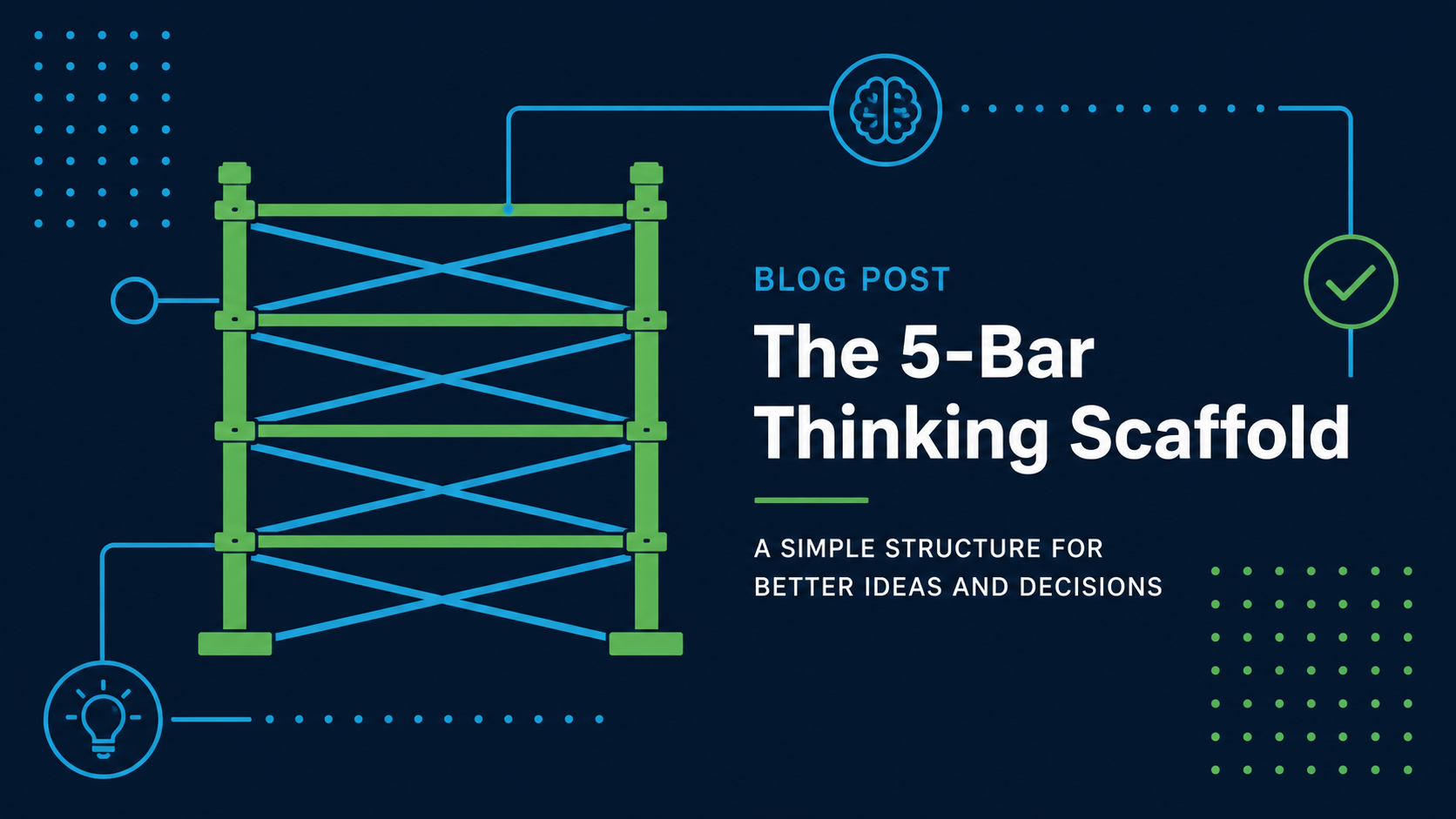
So you own a business. That means you are in the middle of a mind storm of concerns and opportunities, responsibilities and ideas, all swirling around inside your head at once. Thank God you have ADHD! You see connections other people don’t and you can (usually) pay attention to fifty things at once. It’s like a superpower. Unless of course you miss one too many details.
And now you have one more thing on your plate. AI. Yeah. AI. It’s either going to save you or put you out of business. Either it can make your life easier, or you have to reinvent your entire business to be “AI Forward” (what ever that means). Dear Lord, where to even begin?
Welcome, fellow squirrel-chaser. I wrote this article to share what I have learned and experienced in the hope it helps you save some time and energy.
Now, not everyone will agree with how I think about AI. How could they? But what I’m going to share with you is how I think about working with Large Language Models (LLMs), what most people call “artificial intelligence”. If you meet someone who thinks different, listen to them, explore what they have to share. But I can only write from my experience so that is what you are going to get. My thoughts, mental models, and experiences.
I trust you to take what’s useful and leave what’s not.
What follows is one way to work with AI, not the way to work with AI.
A scaffold, not a blueprint.
My biggest gripe with studying engineering in college was that they would dive into all this detail without telling you how all the pieces fit together.
I like scaffolds because they give you the general shape of something while it is under construction. Not only that, they deliver the added benefits of giving you room to work and leverage to lift building blocks into place. Consequently, I create mental scaffolds when I am learning complex topics. A mental scaffold makes a subject easier to understand when I am learning.
Here’s my scaffold for thinking about AI. I break working with LLM’s into five modalities, based not on what the software can do, but on how I use it:
- General Chat
- Project Chat
- Cowork
- Code / Skill Work
- Autonomous Work
Underneath these five, I see two big buckets:
AI that enhances me: I’m at the keyboard. I ask, it responds. It amplifies my thinking, my speed, my capability. Nothing happens unless I start it.
AI that has a job: It does the work whether I’m at my keyboard or not. Like a good employee, it knows what to do and gets it done.
Most people have only ever lived in Bucket 1. And honestly? That is fine, but knowing Bucket 2 exists can open up new opportunities.
Over the next few posts I’ll walk through each mode with real examples, including a hiring story that took us from 2–3 applicants a month to 20 a week.
But first…
Want to start exploring?
Paste this into Claude, ChatGPT, or Grok and see what happens:
“I’m a business owner who’s new to AI. Walk me through the different ways I can use it — from simple chat to more autonomous work — using plain language and real business examples.”
Or, if you want to get specific, try this, only in Claude paste the following prompt:
Explain to me the difference between each of these modes, and how people work with them when using claude:
- general chat
- projects
- cowork
- Claude code
- self directed agents like openclaw
I believe you will get an interesting answer, but as always, your mileage may vary.
Until next time.
Scott