
Getting to Know Markdown
Getting to Know Markdown
One of the first problems I ran into when I switched to a command line mode of working with AI was surprisingly simple but profound. The terminal has very limited text display capabilities. Whereas the desktop apps can render beautiful WYSIWYG (What You See Is What You Get) blocks of text, the terminal mode can’t. While the desktop apps and web pages do look beautiful, they mask a pain point someone like me runs into every day. When I copy text out of ChatGPT and paste it somewhere else, that beautiful formatting always breaks. It is so unbelievably annoying. I get extra blank lines, broken bullet lists, strange formatting full of emojis, dividing lines, and improper bold fonts instead of headers. Not only does it look bad when pasted, the structure of the document is messed up.
Ugh.
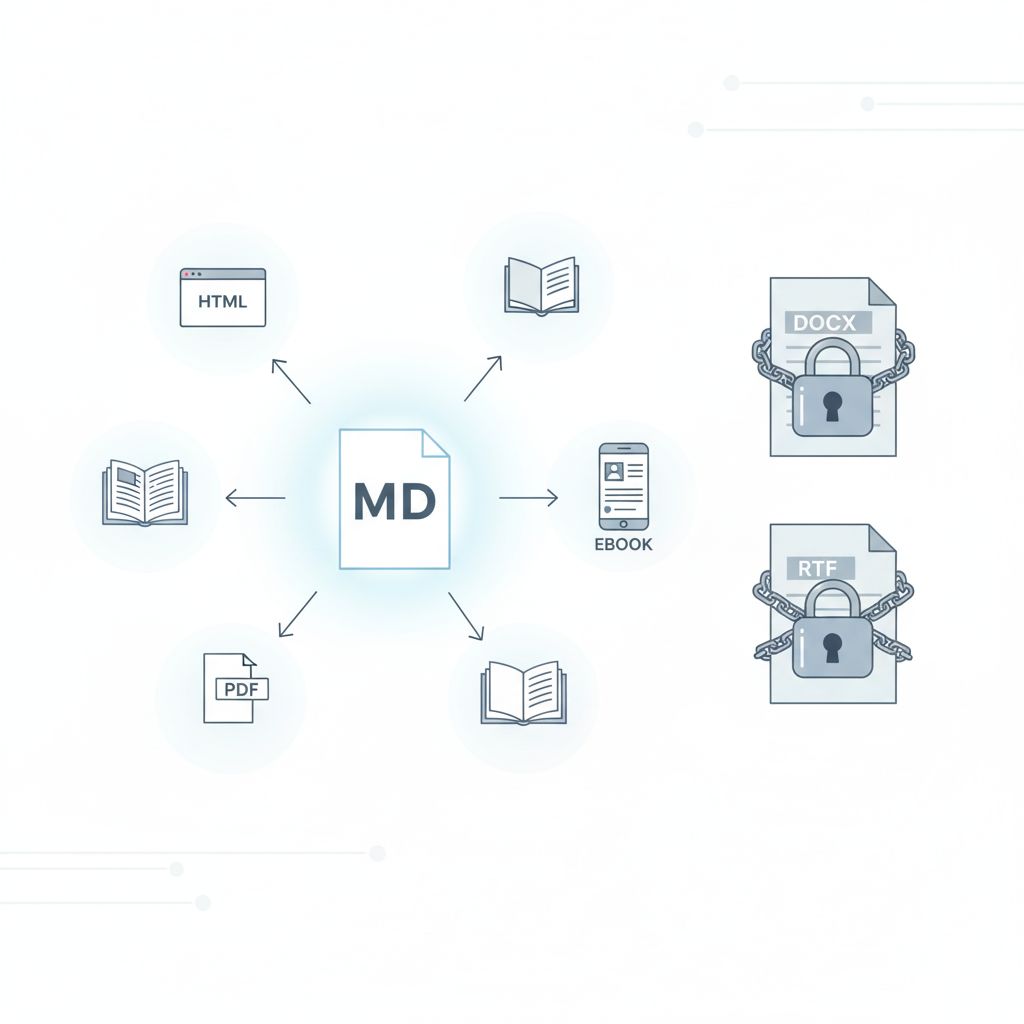
So what is the answer? Well, it turns out there is a simple and elegant solution to this problem. It is called markdown. Markdown is a way of working with plain text files that preserves the author’s intent while at the same time keeping the file human-readable. This is a massive improvement. And guess what? Your agent can write markdown files for you. No copying and pasting. No broken formatting. And markdown files can be easily converted into HTML or almost any other kind of printable, displayable format without ruining the formatting (most of the time).
I swear, once you get used to markdown, you won’t want to go back to anything else.
In fact, markdown has become so prevalent that Google Docs now supports paste from markdown and copy as markdown commands on the edit menu. And when typing, you can type in a Google doc like you are writing in a markdown text file and the editor will automagically format everything for you.1
Yes, your life as a vibe coder will be improved immeasurably by learning markdown.
So what is markdown and why does it exist? Markdown is one of a family of “self-documenting” datafile types. What are self-documenting files?
To answer that question, let me tell you a story. I remember this apocryphal story about some NASA engineers looking for data from a space probe. Could have been Voyager. What they found was a phone book-size printout loaded with 1s and 0s. No one knew how to decode it. Only by finding a report from one of the original project engineers could they decipher the “saved data.” This story, and many just like it, prompted NASA to push for formats that were self-documenting. This meant years later, anyone could look at the data and figure out what was in it, how it was structured, and how it was meant to be used. Preserving this context is crucial for longevity and utility of your applications.
Here’s a real story from my own experience. When I worked at Rainbow Studios, we paid a lot of money for a special network storage hard drive where we backed up our code (like Git, but before Git). When THQ sold the studio and its assets to Nordic, Nordic accessed all the source code in the archive. The “intellectual property” is what they had purchased. What they really wanted, however, was the ability to make the video games. It turned out the source code by itself was useless. Why? Because the code made reference to libraries and systems that no longer existed. Some games were made for different versions of DirectX (a graphics library made by Microsoft for Windows and Xbox) that was no longer available or did not run on modern graphics cards. In short, Nordic needed more than the source code. They needed the entire environment around the code. Like the mythical NASA engineers who found an old report, Nordic was able to find the lead engineers who made the games. Rainbow had a policy of archiving the physical machine that built the version of the game that eventually was published. The entire machine was whisked away and saved in the engineer’s closet. Only by getting back the full context of the work could Nordic build the games and from there begin the work of updating them for the market.
I tell you both of those stories because preserving context and self-documentation are crucial for long-term project success.
Until the advent of LLMs, most projects used source code, configuration files, and database files, but the project context information was stored somewhere else. Machine-readable files and human-readable files were rarely kept together.
ChatGPT, Claude, and Gemini have changed all of that. Now, you can (and should) direct your LLM to create an artifact. Specifically, you want them to create a memory artifact. And you want them to write this in markdown format.
I have told you why you want markdown, but what is markdown?
Markdown was created in 2004 by John Gruber with significant collaboration from Aaron Swartz. Their goal was to make a human-readable text file that more or less looked like what the author meant, but was easily converted to HTML (hypertext markup language, the files that make up most web pages). If you open an HTML document, most of the time they are simply unreadable. You can probably decipher an HTML page, but read it? Good luck.
Gruber and Swartz wanted to be able to write files that a person could read with no special assistance, but a simple program could convert the file into HTML, and the style of that document could be modified later, on the fly.
Your markdown is meant to capture the author’s intent, not the style. Let me give you some examples to make it clearer.
Here is a sample of a short story in typical HTML:
<h3 class="story-header">A Short Story</h3><div class="story"><p>The <em>quick</em> brown <bold>fox</bold> jumped over the lazy dog.</p><br/></div>
There are as many, or more, characters for markup in that text than the actual text itself. When you add in document structure, CSS, embedded JavaScript, you are often facing a complete hash of characters and symbols that absolutely obscure and bury the content.
Here’s what that looks like in markdown:
### A Short Story
The _quick_ brown **fox** jumped over the lazy dog.
The point is that a markdown file allows an author to quickly write out what they intend, in a way that you can later open that file with any text editor (VS Code, Sublime, BBEdit, Textastic, nano, vim, the list is endless) and just read it. If you happen to have a powerful markdown editor, like say Obsidian, iA Writer, Byword (again the list is countless), you can actually see the text presented almost like it would be on a web page, like this:
A Short Story
The quick brown fox jumped over the lazy dog.
Markdown makes a new kind of configuration file possible. A file that preserves the story of how you are working with the AI, in a format both you and the LLM can understand. So how do you work with markdown? Let’s dig in.
How to Learn Markdown
The best advice I can give you is to start using it. Just play with it. There are countless tutorials, many apps, but the best way is to have your agent generate a memory artifact, then read it. You will pick up some tips and clues on how to work with it.
I should point out that Obsidian, the software that runs my digital second brain, is almost entirely markdown-based.
You know what else? Google Docs now supports paste from markdown and copy as markdown, making moving content to and from Google even easier.
Markdown has become a sort of de facto method for moving information around while also communicating how the author would like it presented. Every blog publishing platform I use accepts Markdown (except Medium.com - come on guys!)
Here are a few resources for you to try if you want to learn how to work with markdown:
- https://www.markdownguide.org/basic-syntax/
- https://commonmark.org/help/tutorial/
- https://rgbstudios.org/blog/markdown-guide
And of course, you can always ask ChatGPT, Claude, or Gemini to teach you.
[!note] Markdown for Skills I should also point out that all of my Claude skills are also in markdown format. Markdown turns out to be extremely useful for working in vibe coding.
Summary
The main takeaway is that as you start vibe-coding and building out projects, one of the most important kinds of files you will want to direct your agent to create is a memory artifact, and you will want to create this in markdown format.
You want to learn markdown basics so you can read, edit, and create your own markdown files. Markdown lets us move configuration out of the impenetrable dense formats used for coding into something more human-friendly and understandable.
And full disclosure, once you get used to markdown, using a tool like Obsidian to organize your knowledge becomes second nature. In fact, the first skill I taught Claude Code to use was how to create markdown notes for my Obsidian vault using my templates. Claude can now extend my “knowledge base” directly, and that is extremely cool. No copy and pasting. No fiddling with backlinks or YAML properties. I can simply tell it, “make a notecard” and it will generate the proper note, in the proper format, using markdown and voila, I have another thought train. As Tiago Forte said,
“Knowledge is the only resource that gets better and more valuable the more it multiplies.” (Tiago Forte, Building a Second Brain)
Bonus - The Core Features I Use in Markdown
There are a variety of markdown “flavors” (it’s open source, so different people interpret it differently), but here is a list of my core markdown codes. (What would you call them? I don’t know.) This is what I use when writing almost everything, including this blog post.
# Level one header (For Titles)
## Level two header (For Sections)
### Level three header (For sub-sections)
Some blog systems do not support headers below level 2 or 3.

## Character Formatting
I like to use double asterisks for **bold**.  And you can use a single asterisk for *italics*.  However, personally I prefer to use underscores for _italics_.

You can also format some words as `code` by surrounding it with backticks.  Three backticks will mark a code block (that is how I am sharing this with you, inside a code block.)

Obsidian supports additional formats like highlighting and strikethrough, but I avoid those because they are not widely supported, and underline is not supported because it too often looks like a hyperlink.  Remember markdown was made for the web, not for print.

## Lists
The next most important thing for me are unordered lists and ordered lists. You can use an asterisk or a hyphen to start an unordered list. I prefer hyphens.

- Item one
- Item two
- Item three

Ordered lists are even simpler. Just enter numbers:

1. Item A
2. Item B
3. Item C

Allegedly, when your text is converted to HTML, the numbers will be adjusted correctly. However, I tend to make sure they increment correctly by hand. I'm a noodge that way.

Finally, I use the blockquote for quotes or callouts.

> this is a block quote
Those are my basics. I will sometimes use footnotes (or endnotes), but they are not widely supported yet.
End Notes
-
In order to use markdown in Google Docs, you may have to activate it. You can do this by going to Tools → Preferences and you will see
Enable Markdownas one of the check boxes. Select it to activate the markdown mode. ↩︎